



I know this has been covered a number of times over the years but as technology moves forward at a rate of knots I will raise it again.
Last time I used a PC for home recording was ten years ago. I invested in a special card and external board to allow multi-inputs and used CuBase. I was very pleased with the results and produced my band's CD using this system. That was back on a Pentium 3 based system so you can see things have moved on!! I did find it hellishly complicated and very temprimental when it came to having jsut the right settings.
I now have a spare 64bit PC - Windows, not MAC, with oodles of disk and RAM and would like to know what people advise with regard to sound card, software and set-up. I want to keep the budget down but want a simple to use solution for my own multi-track recording. I would like to be able to set up a drum track, or at least a click-track and then layer several parts including vocals.
Look forward to hearing current recommendations.
Thanks
Brian
PC Based Home Recording
22 posts
• Page 1 of 3 • 1, 2, 3
Re: PC Based Home Recording
 by ecca » 11 Oct 2011, 15:53
You're going to get a million recommendations here Brian.
I use Adobe Audition , now CS5.5, previously versions 3,2, before that 1.5 and before that Cool Edit Pro ( as was Audition then )
I have Cubase 5 but don't like it, it's too complicated.
My soundcard is a Soundblaster Creative SBX-Fi, I chose this because I wanted to be able to record in Dolby 5.1 surround sound.
In terms of effects and recording aids, the world is your oyster with the available VST plug-ins.
I use PSP608 for any amount of authentic Shads echoes and Amplitube for guitar tones and amp modulation.
There are some excellent built-in reverbs and tools.
An absolutely invaluable aid for me is Band-in-a-Box.
It provides a huge input.... if you wish.
You pays your money.... and you takes your choice.
Cheers, hope it helps,
Ecca
I use Adobe Audition , now CS5.5, previously versions 3,2, before that 1.5 and before that Cool Edit Pro ( as was Audition then )
I have Cubase 5 but don't like it, it's too complicated.
My soundcard is a Soundblaster Creative SBX-Fi, I chose this because I wanted to be able to record in Dolby 5.1 surround sound.
In terms of effects and recording aids, the world is your oyster with the available VST plug-ins.
I use PSP608 for any amount of authentic Shads echoes and Amplitube for guitar tones and amp modulation.
There are some excellent built-in reverbs and tools.
An absolutely invaluable aid for me is Band-in-a-Box.
It provides a huge input.... if you wish.
You pays your money.... and you takes your choice.
Cheers, hope it helps,
Ecca
Last edited by ecca on 11 Oct 2011, 16:17, edited 2 times in total.
- ecca
Re: PC Based Home Recording
by Hank2k » 11 Oct 2011, 15:56
I use Adobe Audition with the guitar input through my Zoom G2 to the computer via USB and get a sound thats pretty good to my ears, others may disagree but easy to use no hassle.
- Hank2k
Re: PC Based Home Recording
by RayL » 11 Oct 2011, 18:19
I've said it before, but I'll say it again
A home recording system (especially for self-operation) needs to have remote control of drop-in record. Faffing around with a mouse when you've got a guitar round your neck and you are holding a plectrum is awkward and takes longer than doing drop-in record at the tap of a footswitch.
Ray
A home recording system (especially for self-operation) needs to have remote control of drop-in record. Faffing around with a mouse when you've got a guitar round your neck and you are holding a plectrum is awkward and takes longer than doing drop-in record at the tap of a footswitch.
Ray
-
RayL - Posts: 1247
- Joined: 16 Sep 2009, 16:25
- Location: Carshalton, Surrey
Re: PC Based Home Recording
by ecca » 11 Oct 2011, 22:40
You can preset the point of drop-in prior to, you don't need to lift a finger.
- ecca
Re: PC Based Home Recording
by Detailed Infinity » 12 Oct 2011, 10:25
As Steve & Eric say, record to your hard drive whilst the BT is playing from your stereo. You top and tail the recording and match it up to the BT on your PC.
B.
B.
- Detailed Infinity
Re: PC Based Home Recording
by BrianD » 12 Oct 2011, 19:06
ecca wrote:You're going to get a million recommendations here Brian.
I use Adobe Audition , now CS5.5, previously versions 3,2, before that 1.5 and before that Cool Edit Pro ( as was Audition then )
I have Cubase 5 but don't like it, it's too complicated.
My soundcard is a Soundblaster Creative SBX-Fi, I chose this because I wanted to be able to record in Dolby 5.1 surround sound.
In terms of effects and recording aids, the world is your oyster with the available VST plug-ins.
I use PSP608 for any amount of authentic Shads echoes and Amplitube for guitar tones and amp modulation.
There are some excellent built-in reverbs and tools.
An absolutely invaluable aid for me is Band-in-a-Box.
It provides a huge input.... if you wish.
You pays your money.... and you takes your choice.
Cheers, hope it helps,
Ecca
Thanks, guys. I actually do have Adobe CS5.5 as I use it for video production on a dedicated video editing station. I also have Band in a Box but have really only used that for creating backings to practice to and haven't looked at overlaying my own recordings. I haven't looked at the multi-tracking capability of Audition as yet but will take a look. I am interested in how you record the guitar - do you D.I. from an external mixer, use a mic.? both? Any particular tricks and tips for recording overlays / additional synched tracks? Any particular settings you find work best?
Thanks again.
Brian
-

BrianD - Posts: 282
- Joined: 29 Sep 2009, 06:09
Re: PC Based Home Recording
by ecca » 12 Oct 2011, 19:42
I will normally go through an Korg Ampworks for the guitar.
Its amp emulation is as good as anything else, I may also use its compression .
I will also mic the amp up if I particularly like the tone.
Once recorded you can do anyhting you want with it, slide it around to sync up with a BT, speed up, slow down, eq it, etc etc.
My computer interface is an Omega Lexicon.
In Band in a Box you can extract instruments that you like and record them as either midi or audio files, you don't need to use the whole thing.
Its amp emulation is as good as anything else, I may also use its compression .
I will also mic the amp up if I particularly like the tone.
Once recorded you can do anyhting you want with it, slide it around to sync up with a BT, speed up, slow down, eq it, etc etc.
My computer interface is an Omega Lexicon.
In Band in a Box you can extract instruments that you like and record them as either midi or audio files, you don't need to use the whole thing.
- ecca
Re: PC Based Home Recording
by tonykiek » 13 Oct 2011, 07:20
Hi Brian,
Like Ecca, I use a Creative Labs Soundblaster X-Fi sound card in my PC (running Windows XP Home Edition) for recording. I've never had any latency or any other problems with any of it; exceptional value, and superb quality with lots of cabling/connection options through it's front and rear breakout boards, and lots of online help available if needed.
For fine tuning I use the Creative Labs softare that comes with the sound card, and also Cubase and Sonar Producers edition (i.e. Cakewalk) for overdubbing extra tracks onto the multi-track recordings; mainly I do up to 16 track recording and sometimes I record 24 or more tracks (drums alone can take up a dozen tracks). I also use Audacity to record "CD quality" mp3's from my original .wav files.
I don't play guitar any more, I just make backing tracks (for a living, ha ha !!) , and for that I use a Yamaha PSR3000XP keyboard and a Yamaha Tyros 4 workstation/synth and until recently also a Yamaha Motif XS7.
I can't advise on recording guitar tracks, but George Lewis is a master at recording, so you could contact him through the Perth site or Charlie's site if you need detailed info; I'm sure Ecca and the others can provide that info too as we've all been at it for more years that we care to remember. There is such a wealth of knowledge here on this site and all around us, pity we're not all millionaires (yet).
Tony K
OzzieTrax
http://www.turningpointcd.com
Like Ecca, I use a Creative Labs Soundblaster X-Fi sound card in my PC (running Windows XP Home Edition) for recording. I've never had any latency or any other problems with any of it; exceptional value, and superb quality with lots of cabling/connection options through it's front and rear breakout boards, and lots of online help available if needed.
For fine tuning I use the Creative Labs softare that comes with the sound card, and also Cubase and Sonar Producers edition (i.e. Cakewalk) for overdubbing extra tracks onto the multi-track recordings; mainly I do up to 16 track recording and sometimes I record 24 or more tracks (drums alone can take up a dozen tracks). I also use Audacity to record "CD quality" mp3's from my original .wav files.
I don't play guitar any more, I just make backing tracks (for a living, ha ha !!) , and for that I use a Yamaha PSR3000XP keyboard and a Yamaha Tyros 4 workstation/synth and until recently also a Yamaha Motif XS7.
I can't advise on recording guitar tracks, but George Lewis is a master at recording, so you could contact him through the Perth site or Charlie's site if you need detailed info; I'm sure Ecca and the others can provide that info too as we've all been at it for more years that we care to remember. There is such a wealth of knowledge here on this site and all around us, pity we're not all millionaires (yet).
Tony K
OzzieTrax
http://www.turningpointcd.com
- tonykiek
Re: PC Based Home Recording
by BrianD » 22 Oct 2011, 17:27
Thanks, again, guys. I bought a Lexicon Omega earlier this week and after an evening tearing my hair out trying to figure out the set up of the Asio driver - caused instantaneous blue screening each time I tried to select it, I was ready to put it back in the box and return it  However, I sent an e-mail to the Steinberg support desk and very quickly had a response back which sorted that out. I had to remove the drivedrs that came with the unit and download and install new ones. The next problem was how to use it. I confess I have little patience with reading techno-babble manuals but again after an e-mail I received a simple to follow idiots guide on how to get started and suddenly I was recording multi- tracks!
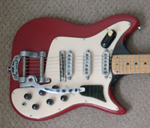
After a brief forray with the unit the next decision was how to get the sounds I was after. I was going to follow your advice and get a piece of hardware such as the Korg or Pod but then decided to try the free version of POD Farm Plug-in. This worked very well but, being free, gave only a few selections. After a chat with one of the in-store team at Andertons in Guildford I got a copy of Guitar Rig 5. Very impressed with this. So far I have it plugged into the CuBase 4LE that came with the Lexicon. Here is a short extract from Cavatina, one of the first recordings I have made with this new set up. I used my Burns Marvin mid-pickup through an AC30 preset selection in the Guitar Rig with juts a touch of delay.
Brian
However, I sent an e-mail to the Steinberg support desk and very quickly had a response back which sorted that out. I had to remove the drivedrs that came with the unit and download and install new ones. The next problem was how to use it. I confess I have little patience with reading techno-babble manuals but again after an e-mail I received a simple to follow idiots guide on how to get started and suddenly I was recording multi- tracks! After a brief forray with the unit the next decision was how to get the sounds I was after. I was going to follow your advice and get a piece of hardware such as the Korg or Pod but then decided to try the free version of POD Farm Plug-in. This worked very well but, being free, gave only a few selections. After a chat with one of the in-store team at Andertons in Guildford I got a copy of Guitar Rig 5. Very impressed with this.
So far I have it plugged into the CuBase 4LE that came with the Lexicon. Here is a short extract from Cavatina, one of the first recordings I have made with this new set up. I used my Burns Marvin mid-pickup through an AC30 preset selection in the Guitar Rig with juts a touch of delay.Brian
- Attachments
-
 Cavatina04_01_01.mp3
- (817.3 KiB) Downloaded 430 times
-
BrianD - Posts: 282
- Joined: 29 Sep 2009, 06:09
22 posts
• Page 1 of 3 • 1, 2, 3
Who is online
Users browsing this forum: No registered users and 17 guests
These advertisements are selected and placed by Google to assist with the cost of site maintenance.
ShadowMusic is not responsible for the content of external advertisements.